从此留子换手机后多了一步😭
留子换手机一定不要忘记更新Authenticator app!!而且🍎的iCloud 传输无法彻底传输Authenticator app,一定要确保新手机可正常使用Authenticator app 登陆学生邮箱或者moodle后再抹除老手机数据。
Authenticator app transfer 方法:
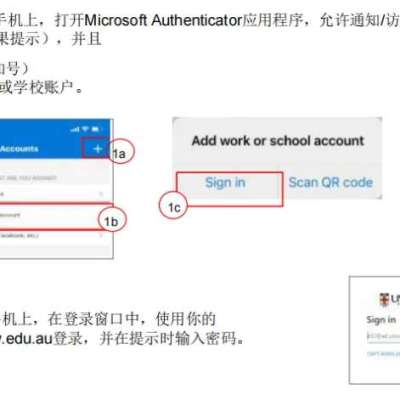
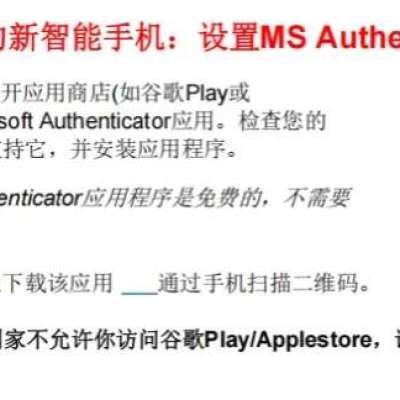
1、新手机下载Authenticator app,打开完成app弹窗
2、点右上角➕号
3、点工作或学校账户
4、点登陆
5、输入学生邮箱(是学校提供的那个zId@ad.unsw.edu.au结尾那个)然后点下一步输入密码
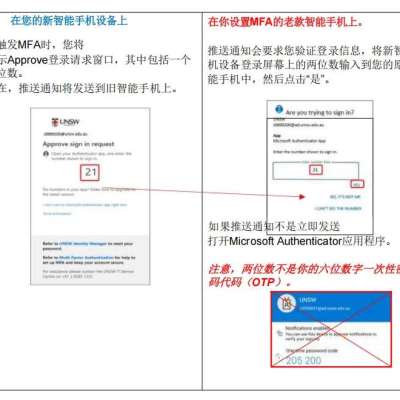
6、然后新手机的Authenticator app上显示一个两位数
7、将新手机上显示的两位数输入到旧手机的authenticator app上,然后点“是”。这样就完成了新手机的authenticator app的安装和激活
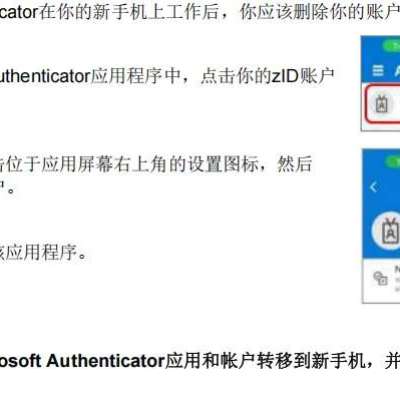
8、确保您新手机上的authenticator app正常工作后,点击旧手机authenticator app中你的zid账户
9、点击右上角设置图标,点击删除账户
10、卸载旧手机上的Authenticator app
#留学必备app#unsw新生 #unsw

 +2
+2
赞


评论
分享